
The Challenge: Design Freedom Creates Complexity
nTop’s implicit modeling engine enables parametric designs such as lattices, ribbed structures, organic shapes, and computational design workflows that break traditional CAD tools. But this design freedom comes with a challenge: an exponentially larger design space.
Consider a simple ribbed panel with four parameters: arc count, cell length, unit cell type, and height. Even with modest ranges, you’re looking at thousands of possible combinations. Traditional approaches fall short:
- Manual iteration is slow and biased toward familiar solutions
- Brute-force DOE (grid search) is computationally prohibitive
- Random sampling wastes compute on uninteresting regions
Engineers need a smarter way to navigate this space. One that learns from each simulation and focuses on the designs that matter.
The Solution: AI-Guided Exploration
Bayesian optimization offers a fundamentally different approach. Instead of exhaustively sampling the design space, it builds a surrogate model of the objective function and intelligently selects the next design to evaluate. Each simulation informs the next, rapidly converging toward optimal regions.
The key ingredients:
- Intact.Simulation for nTop: Meshfree FEA that runs directly on implicit geometry, eliminating the meshing bottleneck that breaks automation
- nTop Automate: Headless execution of parametric nTop workflows
- PyIntact: Headless execution of automated simulation at scale
- Python ML tools: Bayesian optimization libraries that guide the search
Together, these tools create a closed-loop system: the optimizer proposes a design, nTop generates the geometry, Intact.Simulation evaluates performance, and the results feed back to refine the next proposal.
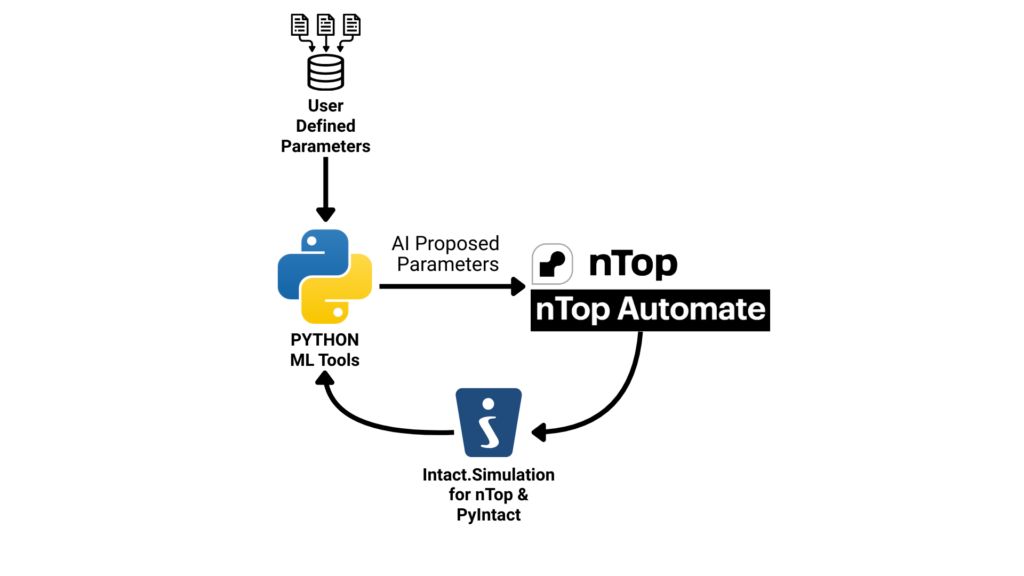
Figure 1: AI-guided design exploration workflow. The user defines the initial parameters and ranges, optimizer proposes parameters, nTop generates geometry, Intact.Simulation evaluates performance, and results inform the next iteration.
Case Study: Multi-Objective Ribbed Panel Optimization
To demonstrate this workflow, we optimized a ribbed panel structure with two competing objectives:
- Minimize maximum displacement (stiffness)
- Minimize additional mass (weight)
Design Variables
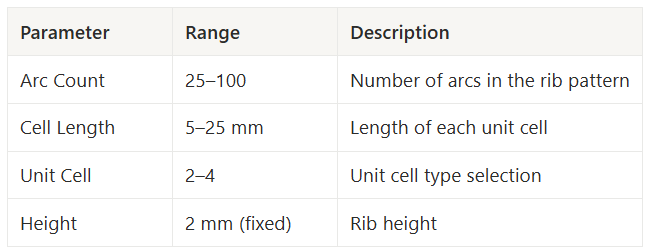
These parameters control the ribbed pattern on the panel, creating a rich design space with diverse structural behaviors.

Figure 2: Sample designs from the parameter sweep showing the diversity of ribbed panel configurations.
The Optimization Script
The workflow is remarkably concise. Here’s the core objective function:
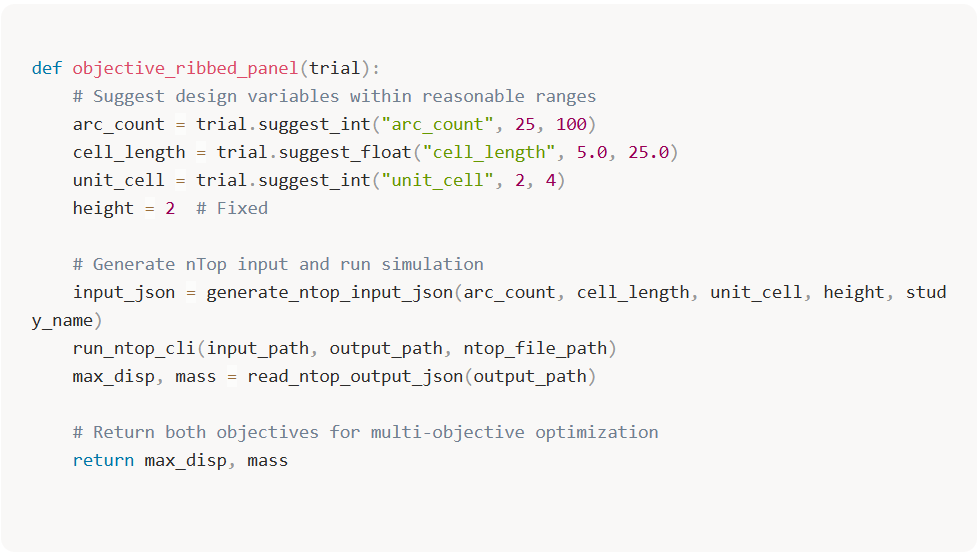
The optimizer handles the rest—selecting the next design, balancing exploration vs. exploitation, and building the Pareto front.
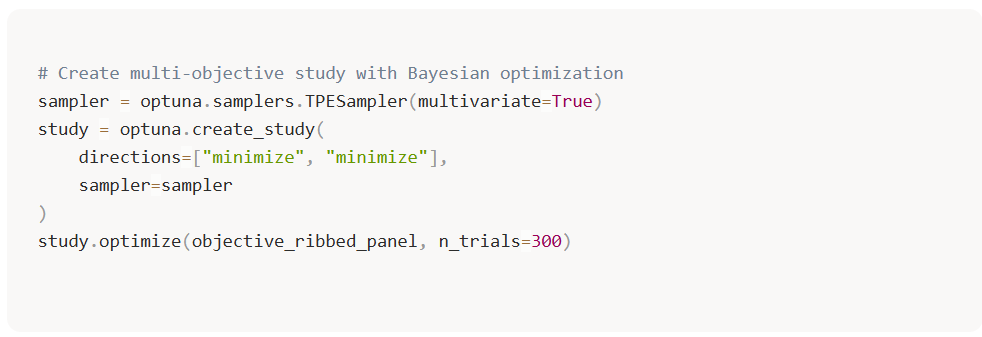
Results: A Complete Pareto Front in 300 Trials
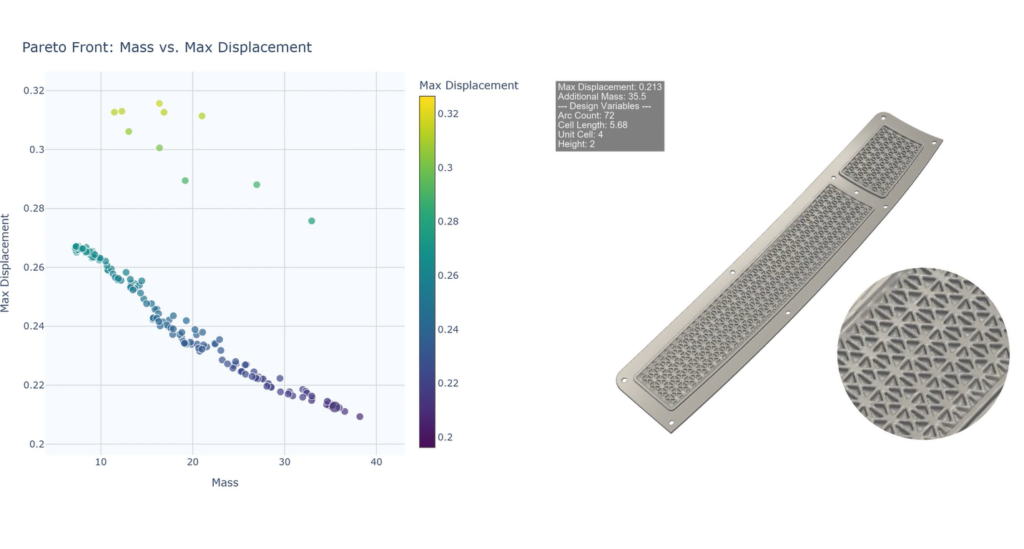
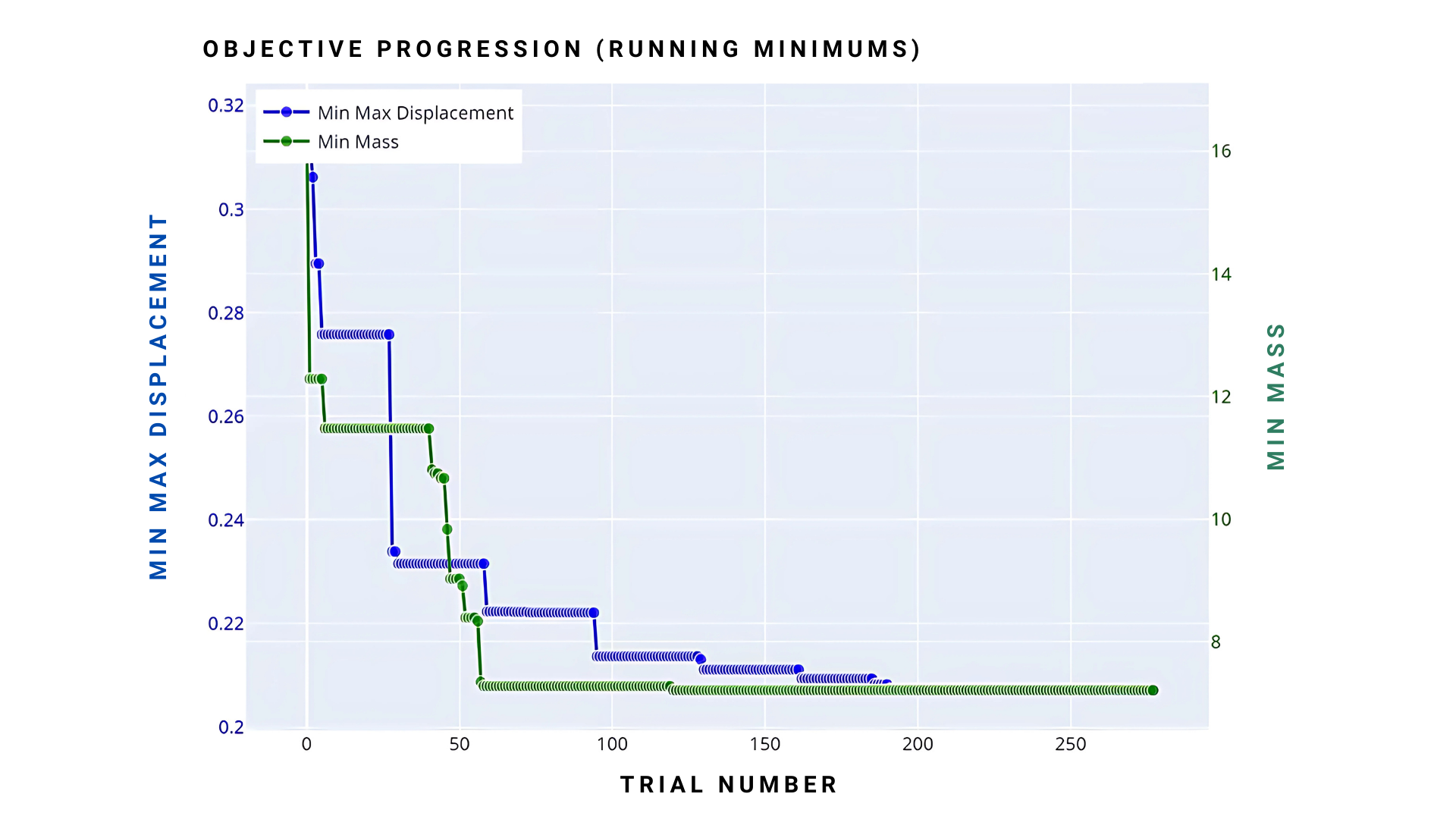
After 300 trials, the optimizer discovered a well-defined Pareto front spanning the full trade-off between stiffness and weight.